



本文链接: https://blog.csdn.net/lishuangquan1987/article/details/127197261
版权
平时我们写XAML时,需要使用 fontawesome.ttf 中的图标可以这样做:
<TextBlock Text="" Name="tbTest" FontFamily="/wpf字体图标绑定测试;component/#fontawesome" />
就是这一句: Text="" 我们在代码中如何实现呢?
请看:
xaml代码:
<Window x:Class="wpf字体图标绑定测试.MainWindow"
        xmlns="http://schemas.microsoft.com/winfx/2006/xaml/presentation"
        xmlns:x="http://schemas.microsoft.com/winfx/2006/xaml"
        xmlns:d="http://schemas.microsoft.com/expression/blend/2008"
        xmlns:mc="http://schemas.openxmlformats.org/markup-compatibility/2006"
        xmlns:local="clr-namespace:wpf字体图标绑定测试"
        mc:Ignorable="d"
        Title="MainWindow" Height="450" Width="800">
    <Window.Resources>
        <local:FontConverter x:Key="FontConverter"></local:FontConverter>
    </Window.Resources>
    <Grid>
        <Button Content="Button" HorizontalAlignment="Left" Margin="166,62,0,0" VerticalAlignment="Top" Click="Button_Click"/>
        <TextBlock Text="{Binding IconStr}" Name="tbTest" FontFamily="/wpf字体图标绑定测试;component/#fontawesome" HorizontalAlignment="Left" Margin="233,182,0,0" TextWrapping="Wrap" VerticalAlignment="Top"/>

    </Grid>
</Window>
后台代码:
using System;
using System.Collections.Generic;
using System.ComponentModel;
using System.Linq;
using System.Text;
using System.Threading.Tasks;
using System.Windows;
using System.Windows.Controls;
using System.Windows.Data;
using System.Windows.Documents;
using System.Windows.Input;
using System.Windows.Media;
using System.Windows.Media.Imaging;
using System.Windows.Navigation;
using System.Windows.Shapes;

namespace wpf字体图标绑定测试
{
    /// <summary>
    /// MainWindow.xaml 的交互逻辑
    /// </summary>
    public partial class MainWindow : Window,INotifyPropertyChanged
    {
        public MainWindow()
        {
            InitializeComponent();
            this.DataContext = this;
        }

        public event PropertyChangedEventHandler PropertyChanged;
        private void RaisePropertyChanged(string name)
        {
            this.PropertyChanged?.Invoke(this, new PropertyChangedEventArgs(name));
        }
        private string iconstr;
        public string IconStr
        {
            get { return iconstr; }
            set { iconstr = value; this.RaisePropertyChanged(nameof(IconStr)); }
        }

        private void Button_Click(object sender, RoutedEventArgs e)
        {
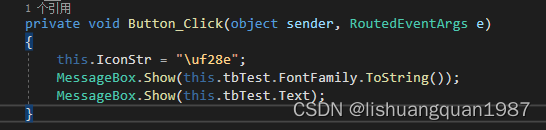
            this.IconStr = "\uf28e";
            MessageBox.Show(this.tbTest.FontFamily.ToString());
            MessageBox.Show(this.tbTest.Text);
        }
    }
}
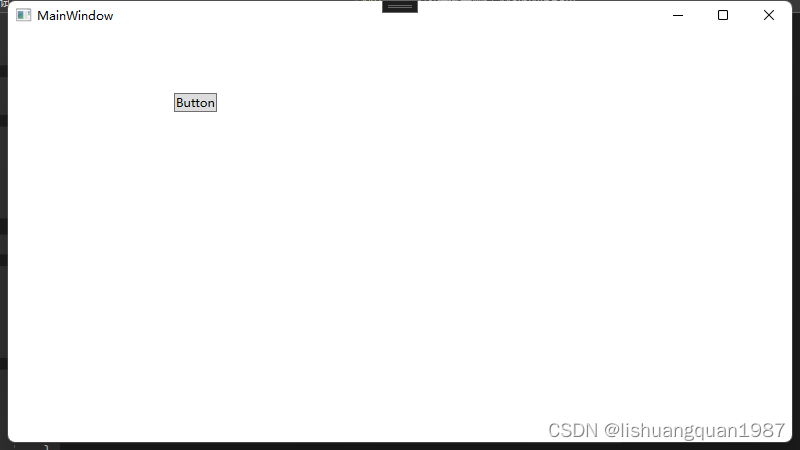
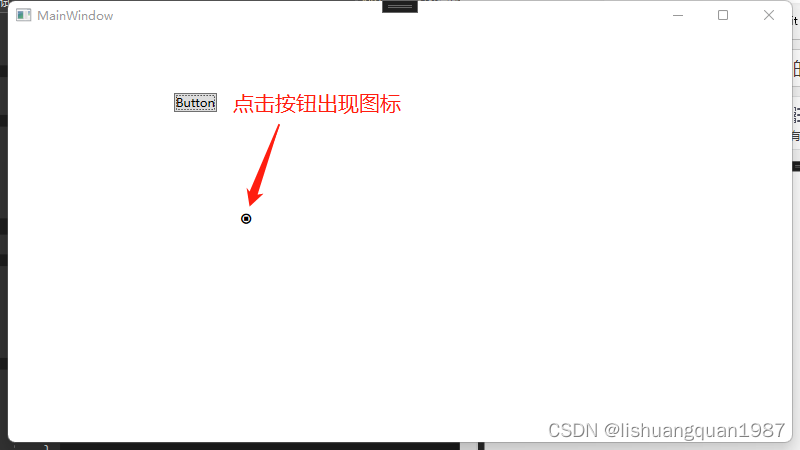
当点击按钮时,图标就出来啦:
原来只需要这样写就可以了: this.IconStr = "\uf28e":
评论区